
RealCalc Plus
Quartic SoftwareProductivity
4.81.99K Reviews
- Version
- Varies With Device
- Installs
- 500.00K
- Age Rating
- Everyone
Screenshots

Our Review of RealCalc Plus
 Analysis by Appyee
I often reach for a calculator when a quick estimate turns into several steps: I need to keep a value, switch to a different operation, then check how I got the result. A basic phone calculator can handle the arithmetic, but remembering intermediate numbers or retracing a longer calculation is where the friction begins. That is the recurring problem RealCalc Plus is meant to remove: it gives me a more complete scientific-calculator workspace without making me reach for a separate device.
It is an Android productivity app from Quartic Software, priced at $3.99 and rated for Everyone. It has been available since March 9, 2011, and its average rating is 4.8 from around 16,000 ratings, with roughly 2,000 written reviews and over 500,000 installs. That long-running audience makes it a familiar option in its niche, though popularity alone is not a reason to buy it. I would judge the purchase by whether its extra controls and calculation tools actually save time in your routine.
Making Longer Calculations Easier to Manage
I find that the biggest benefit of keeping a longer calculation in one place is being able to review the path, not just the final answer. When I return to an earlier value, I can check whether it still belongs in the next step before carrying it forward, which is especially useful when comparing a couple of estimates. That habit makes the history more than a convenience: it becomes a quick way to catch a slip before it spreads.
A practical first setup
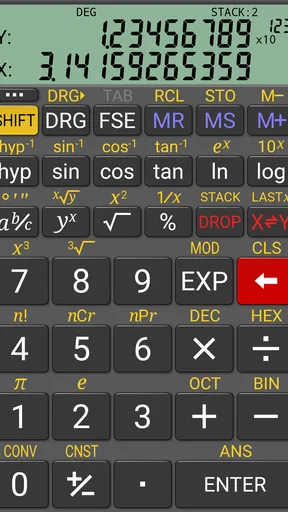
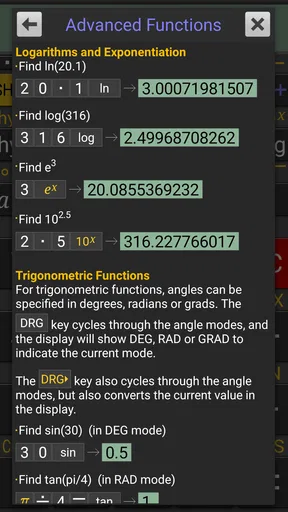
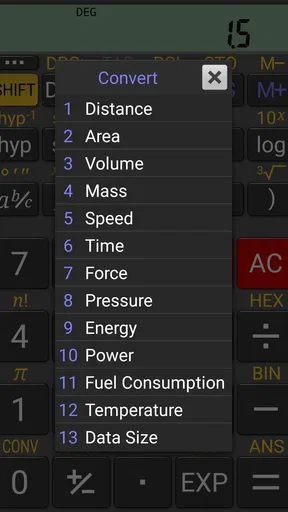
First off, RealCalc Plus is not your typical calculator app. It’s designed to emulate a real-life scientific calculator and does a pretty convincing job at it. From unit conversions to complex calculations, it’s got you covered. The app supports traditional algebraic operations and RPN (Reverse Polish Notation), which is a nice touch for those who prefer it.
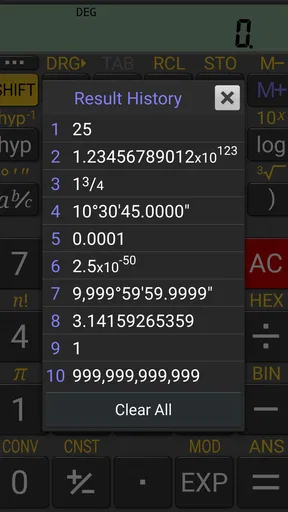
One feature I found particularly useful is the app's history and memory functions. You can easily scroll through past calculations and store results, which is super handy if you're doing extended work and need to reference previous numbers. Plus, the app offers a wide range of constants, making it great for scientific work.
A useful way to start is to choose the angle mode and display precision that fit the work you actually do, rather than leaving settings to chance. If I am using trigonometry, I check whether the calculation calls for degrees or radians before entering values; the same expression can produce a very different result if that choice is wrong. For a one-off sum, that setup may feel unnecessary, but if I use the calculator repeatedly for schoolwork or technical tasks, setting preferences once can prevent small avoidable errors.
The history is especially helpful when a problem has several stages. I can work through one part, inspect the earlier entry, and use stored results instead of copying numbers into a note or trying to remember them. My tip is to treat the history as a trail for checking work, not as a substitute for naming or documenting important figures. A result that looks plausible can still come from a mistyped input or the wrong mode, so I still verify the expression before relying on it.
Using the familiar layout without losing flexibility
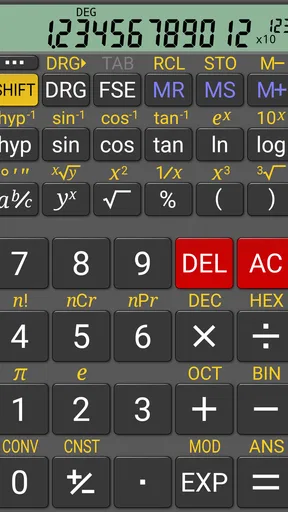
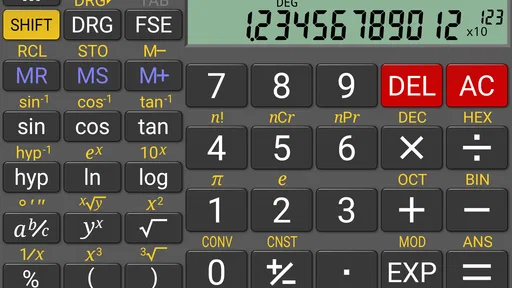
The interface of RealCalc Plus is straightforward, which is crucial for an app of this nature. The developers have managed to cram a lot of functionality into a clean, understandable layout. It feels just like using a physical calculator, but with the convenience of a smartphone app.
Navigation is a breeze, and I didn’t experience any lag or crashes, which is more than I can say for some other calculators I've tried. The buttons are well-placed, and the app supports both portrait and landscape modes, making it adaptable to how you prefer to use your phone.
That physical-calculator style is a genuine strength if you already know where scientific functions tend to sit. It also creates a trade-off: someone accustomed to a minimalist phone calculator may initially find the denser keypad busy. I would not expect every control to be obvious on first launch. Rather than tapping at random when a calculation matters, I’d spend a little time learning the layout and checking the relevant settings; familiarity is what turns the extra controls into saved time.
Landscape mode can be useful when I need more room to read the keypad and keep a longer expression in view, while portrait is more convenient for a quick calculation in one hand. The practical choice depends on the task and the phone, not on one mode being universally better. If I am entering a multi-step expression at a desk, I prefer the roomier view; for checking a measurement while shopping or working around the house, the faster portrait interaction is usually enough.
Daily calculations, from estimates to study
What’s cool about RealCalc Plus is that it offers a variety of customization options. You can change the appearance of the app with different themes, which is a nice touch if you want to personalize your experience. Plus, you can adjust settings to suit your calculation preferences, whether you want to use degrees or radians, or tweak the display precision.
For those who like to fiddle around with settings and make an app their own, this is definitely a plus. It shows that the developers are thinking about the user’s experience and not just the functionality.
Here is an ordinary use case: I am comparing the cost of materials for a small home project. I calculate the area, convert units where needed, and then work out a rough quantity from the measurements. Having the earlier results available means I can revisit a figure instead of starting over if I spot a mistake or need to compare another option. For this kind of job, the benefit is less about doing spectacular mathematics and more about keeping the steps together and reducing back-and-forth.
Students can get value from the scientific functions and constants when checking homework or working through formulas, while people who regularly use trigonometry may appreciate having angle modes close at hand. RPN support is also a meaningful choice for users who already think in that sequence; it is not automatically an advantage for everyone. If you have never used Reverse Polish Notation, the standard algebraic approach may feel more natural, and there is little reason to switch just because the option exists.
For occasional arithmetic, the built-in calculator on a phone is likely quicker to open and easier to understand. A spreadsheet is better when I need to organize many rows of figures, compare scenarios, or keep a record that I will update later. RealCalc Plus sits between those choices: it is aimed at calculations that benefit from scientific functions, remembered results, and a calculator-style workflow, not at managing a full budget or replacing a structured worksheet.
Customization that helps, and choices to check
The customization options are useful when they solve a real problem: a preferred theme can make the keypad easier for me to distinguish, and display precision can keep results readable for the work at hand. I would avoid treating more decimal places as automatically more accurate in a practical sense. The appropriate precision depends on the measurements and the decision being made; showing a long result does not make rough source measurements exact.
Degrees and radians deserve particular care because they can quietly change the answer rather than produce an obvious warning. Before using a trigonometric result in a project or assignment, I check the selected mode and make sure the input matches it. Likewise, when a calculation involves a stored result, I review the relevant history entry so I know which intermediate value I am carrying forward. These small habits matter more than changing the theme, even though both options are part of making the app comfortable to use.
A common question is whether this is approachable without scientific-calculator experience. I think it can be, especially if you begin with standard arithmetic and add functions as you need them. But the fuller keypad is not as instantly simple as a basic calculator, so someone who only wants to split a bill may find it more tool than they need. The best reason to choose it is a recurring task that benefits from its additional modes and memory, not curiosity about having the largest possible keypad.
Where it fits—and where it does not
In terms of performance, RealCalc Plus does not disappoint. Calculations are processed quickly, and the app handles complex equations without breaking a sweat. I’ve used it for everything from simple arithmetic to more complicated trigonometric functions, and it holds up well.
Reliability is key for a calculator app, and RealCalc Plus delivers here too. I haven’t encountered any bugs or issues that would cause me to lose data or results, which is definitely reassuring when you’re working on something important.
Still, I would not use a calculator as the only safeguard for a high-stakes result. When a value affects a safety decision, a costly order, or a formal technical submission, I check the setup and independently verify the answer with the method appropriate to that work. The history makes it easier to inspect what I entered, but it cannot tell me whether my assumptions or units were correct. This is a limitation of relying on any calculator, and it is worth keeping in mind precisely because quick answers can feel more certain than they are.
There is also a real choice between speed and capability. If I only need a tip, a simple total, or a quick split, opening a feature-rich scientific tool may add friction rather than remove it. If I need long-term records, formulas that update across a table, or collaborative editing, a spreadsheet is the better fit. If I need a scientific calculator with history, constants, and the option of RPN, this app makes more sense than the default calculator, provided I am willing to learn its controls.
Who should spend the time—and money
If you’re in the market for a calculator app that’s more than just basic, RealCalc Plus is worth considering. Its combination of features, ease of use, and performance make it a solid choice for students, professionals, or anyone who needs a reliable tool for calculations.
The purchase is easiest to justify for someone who regularly handles scientific or multi-step calculations on an Android phone and wants a more capable alternative to the built-in calculator. Students, technical hobbyists, and people who use conversions or trigonometry often are the clearest audience. For someone who rarely goes beyond simple sums, the default option may already be sufficient, so paying $3.99 would bring little everyday benefit.
One practical question is whether the extra functions mean a steep learning curve. My answer is that the basic workflow can remain straightforward, but making good use of settings, memory, history, and RPN takes some familiarity. Another is whether it suits a quick calculation on the move: yes, though the compact keypad and number of functions can make a basic task feel less direct than with a simpler app. I would choose based on the calculations I actually repeat, not on the assumption that every advanced feature will be useful.
The app is available for download on both Android and iOS platforms, so no matter what device you own, you can get your hands on this nifty tool. Trust me, once you start using it, you’ll wonder how you ever got by with the basic calculator app that came pre-installed on your phone.
So, go ahead and give RealCalc Plus a test drive. Whether you’re handling everyday math problems or diving into more complex calculations, it’s got the chops to keep up. Happy calculating!
Verdict
Strengths of RealCalc Plus
- Highly accurate scientific calculations.
- User-friendly interface with customizable layout.
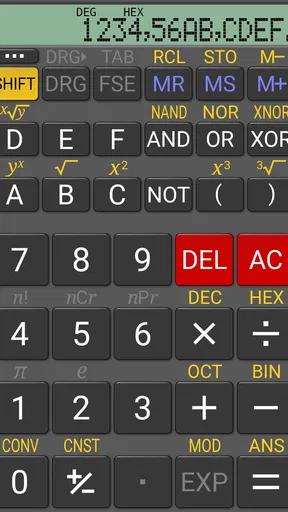
- Supports binary, octal, and hexadecimal.
- History and memory functions for quick access.
- No ads for an uninterrupted experience.
Limitations of RealCalc Plus
- Limited to scientific and engineering use.
- Initial setup might be overwhelming.
- No graphing functionality included.
- Paid app, no free trial version.
- Interface may feel outdated to some users.
Similar Picks in This Category
View All
Google Calendar
Google LLC4.6

Google Drive
Google LLC4.3

Google Assistant
Google LLC3.9

Microsoft OneDrive
Microsoft Corporation4.6

Samsung Calendar
Samsung Electronics Co., Ltd.4.1

Microsoft OneNote: Save Notes
Microsoft Corporation4.6
Frequently Asked Questions
What features does RealCalc Plus offer compared to the free version?
RealCalc Plus extends the features of the free RealCalc app by adding a variety of advanced functions. Users benefit from additional unit conversions, greater memory, and customizable layouts. It also includes a user-friendly interface with scientific, engineering, and fixed-point display modes, making it suitable for both educational and professional use.
Is RealCalc Plus compatible with all Android devices?
RealCalc Plus is designed to work on most Android devices running version 1.5 and above. However, to ensure optimal performance, it's best to have a device with a more recent Android version. Users should check the app’s compatibility with their specific device model in the Google Play Store before purchasing.
How user-friendly is RealCalc Plus for beginners?
RealCalc Plus is designed to be intuitive, even for beginners. Its interface mimics a traditional scientific calculator, which can ease the transition for users familiar with physical calculators. Additionally, the app includes comprehensive help documentation to guide users through its various functions and features.
Does RealCalc Plus require an internet connection to function?
RealCalc Plus operates fully offline, making it convenient for use without needing an internet connection. This is particularly beneficial for users in areas with limited connectivity or for those who prefer to work without distractions. All features and calculations are available anytime, anywhere.
Are there any privacy concerns with using RealCalc Plus?
RealCalc Plus prioritizes user privacy and does not require any unnecessary permissions or access to personal data. The app does not collect or share personal information, making it a safe choice for users concerned about data privacy. Always review app permissions before installation for peace of mind.
